How to Find Expired Domains with Backlinks in 2026: Free Lists, Deleted Domains, and Options Worth Buying
Where else can you get dropped domains with live links in 2026? Free drop lists, registrar sales, competitors' broken links, and paid tools — plus a 6-step check that distinguishes a real find from a filter. A practical guide.
 DeepScan.pro
Here is a practical, up-to-date guide to effectively finding expired domains, evaluating options, and avoiding common pitfalls.
Why expired domains still give you an SEO advantage
Free ways to find expired domains
You do not need a paid subscription to get started. In 2026, three free sources still provide most of the data.
1. ExpiredDomains.net — still the best free source of expired domains
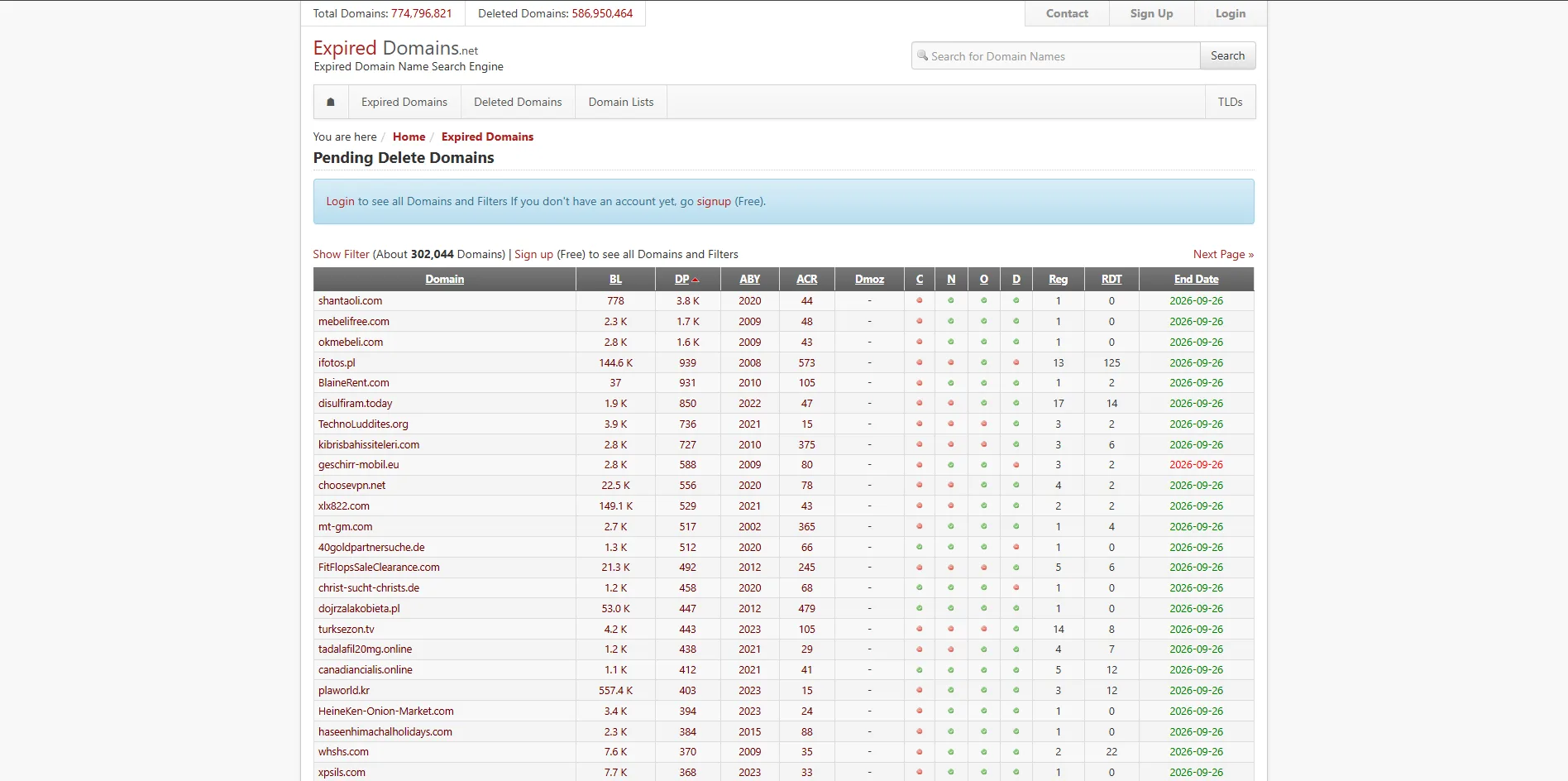
- Number of backlinks and referring domains
- Majestic Trust Flow and Citation Flow scores
- Domain age (first appearance date in Archive.org)
- TLD and name length
2. Registrar closeouts and auctions: where to buy expiring domains for a few dollars
3. Manual competitor analysis in Ahrefs: finding backlinks pointing to dead sites
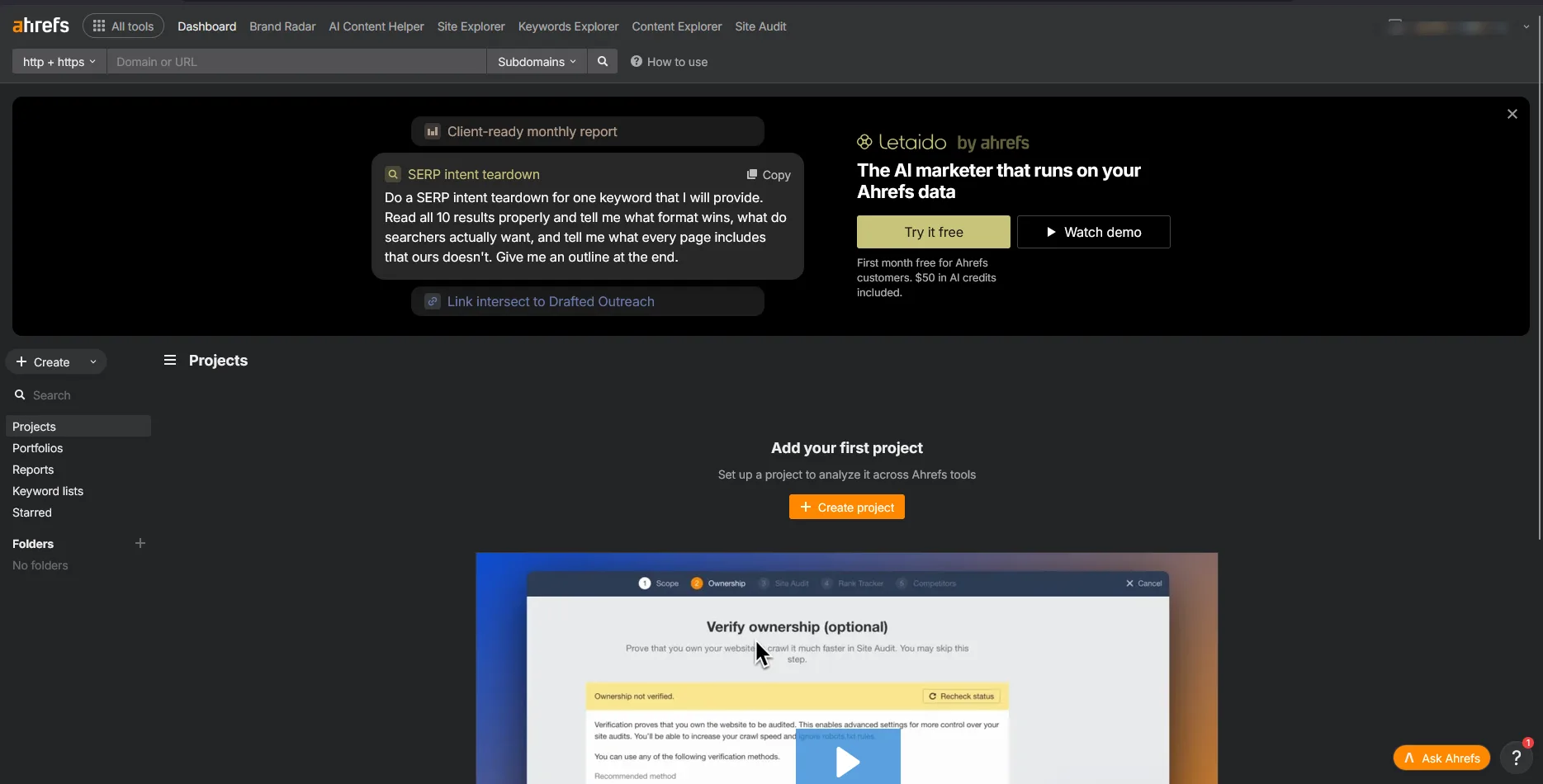
- One of the most underrated methods (available almost for free):
- Open a competitor’s domain in Site Explorer.
- Go to Outgoing links → Broken links.
- Apply the dofollow filter.
- Export the list of target URLs and check which of those domains are available for registration.
Paid tools for finding expired domains (current for 2026)
If you buy domains regularly, paid tools will save you hours of filtering:
- DomCop — aggregates data from Moz, Majestic, and other major link analysis services in a single dashboard. Powerful filters by price, spam signals, and metrics. Ideal if you need high-authority domains without manually sifting through huge lists.
- SpamZilla — excels at identifying highly spammy domains early. Suitable for those looking for domains at scale.
- Karma.Domains and CatchDoms — modern platforms with quality scoring, Wayback Machine history analysis, residual traffic estimation, and an API for bulk checks. They process hundreds of thousands of domains daily and find “clean” options faster.
- New natural-language interfaces let you describe a request in plain words (for example: “.com domains with TF 20+, finance niche, price up to $50”) and instantly get filtered results.
How to check a domain with history before buying (important steps)
Never buy a domain based on metrics alone. Here is an up-to-date checklist:
- Backlink profile. Look at the number of referring domains, not just the total number of links. Ideally, you want more than 30 quality referring domains.
- Check the TF/CF ratio (ideally above 0.5).
- Analyze the anchor list for spammy keywords (pharma, casino, adult content, etc.): if the same commercial query appears in all anchors, it is better to skip the purchase.
- Wayback Machine history. Review site snapshots from the last 5–10 years. You want stable and relevant content, not sudden shifts to junk pages, parked pages, or foreign-language doorway pages.
A note about Spaceship domain registrar services and renewal costs
Common mistakes that turn a good deal into a problem
- Ignoring language and target market. A domain that is mostly linked to by Russian or Vietnamese sites will bring little benefit to an English-language project, no matter how high the authority metrics seem.
- Neglecting the web archive. Ten minutes of reviewing saved copies (snapshots) can reveal most domains that previously hosted casinos, pharma sites, or adult resources — exactly the domains that often get hit by the sandbox filter within a few weeks of launching a new project.
- Overpaying at the last moment. Set a maximum price before the auction starts; any auction is designed to push you past that limit.
- Losing the domain again. Turn on auto-renew right after you win the auction; losing a good domain after a year of work on it is the most expensive mistake.
A practical 2026 workflow: from expired domain lists to valuable assets
- Start with a daily list from a free source (see method 1 above).
- Apply basic sorting by domain age, link count, and Trust Flow.
- Move selected candidates to a link analysis tool for deeper review.
- Check content history in the web archive.
- Confirm current availability and price on the auction platform or with the seller.
- Buy only domains that pass the full checklist: an expired domain with a clean history and 30 relevant links is better than an old domain with 3,000 low-quality links (spam links).
The market changes fast: good domains are bought within hours of appearing in public lists. A systematic approach works better than occasional attempts at a big purchase. Spend 20–30 minutes a few times a week reviewing expired domain lists, and you will regularly find quality options that others overlook.
Done right, this process still provides one of the highest returns on investment (ROI) in SEO and the domain business in 2026.
Comments
Sign in to leave a comment
No comments yet — be the first.